Gradient Descent Variants
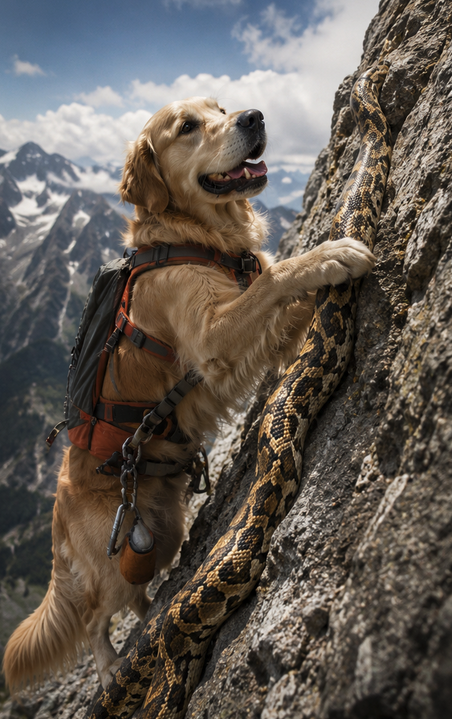
Climbing Down the Loss Surface, Step by Step
Every trainable model has one goal: find the parameters that minimise the loss. Gradient descent is the algorithm that gets it there — iteratively following the slope of the loss surface downhill. This notebook covers the update rule from first principles, the three main variants (batch, stochastic, mini-batch), learning-rate effects, and the practical decision of which variant to use when.
Why Gradient Descent Matters in Business

| Scenario | Why GD is necessary |
|---|---|
| Neural network with millions of weights | Normal Equations don’t exist for non-linear models |
| Real-time fraud model updated every hour | Incremental (online) updates via SGD |
| Demand forecast on 10M SKUs | inversion is infeasible — mini-batch GD scales |
| Logistic / Poisson regression | No closed form — loss must be minimised iteratively |
The Update Rule — From First Principles
For a model with parameters and MSE loss:
Taking the partial derivative with respect to and setting the update rule:
where is the learning rate — how large a step to take each iteration.
Key intuition: the gradient points uphill (direction of steepest increase). Subtracting it moves parameters downhill — toward lower loss.
The Three Variants
The only difference between variants is how many samples are used to estimate the gradient at each step:
| Variant | Samples per update | Cost per step | Noise | Memory |
|---|---|---|---|---|
| Batch GD | All | None — exact gradient | Full dataset | |
| Stochastic GD (SGD) | 1 | High — single-sample estimate | One row | |
| Mini-Batch GD | (e.g. 32–256) | Moderate — default choice | rows |
for epoch in range(epochs):
    grad = (1/m) * X.T @ (X @ theta - y)   # full dataset
    theta -= alpha * grad
Slow per epoch on large data. Smooth, stable loss curve. Suitable when the entire dataset fits in RAM and is modest.
for epoch in range(epochs):
    idx = np.random.permutation(m)
    for i in idx:
        grad = X[i] * (X[i] @ theta - y[i])   # one sample
        theta -= alpha * grad
Very noisy loss curve. Can escape shallow local minima. Used in online/streaming settings.
for epoch in range(epochs):
    for i in range(0, m, batch_size):
        Xb, yb = X[i:i+batch_size], y[i:i+batch_size]
        grad = (1/batch_size) * Xb.T @ (Xb @ theta - yb)
        theta -= alpha * grad
GPU-friendly (vectorised over batch). Loss curve moderately smooth. Standard choice for neural networks and large-scale ML.
Visual Intuition — GD on a Velocity-Error Cost
The cell below shows gradient descent minimising a simple 1D cost — the squared error between a linear velocity model and a target velocity. This is the exact same update rule used inside LinearRegression.fit(), scaled up to many parameters.
%matplotlib inline
import numpy as np
import matplotlib.pyplot as plt

# Desired velocity
v_star = 10

# Define cost and its gradient
def J(t):
    return (2*t + 2 - v_star)**2

def dJ(t):
    return 4 * (2*t + 2 - v_star)

# Plot J(t)
t_vals = np.linspace(-2, 8, 400)
J_vals = J(t_vals)

plt.figure(figsize=(8, 5))
plt.plot(t_vals, J_vals, label=r'$J(t)=(2t+2-v^*)^2$', linewidth=2)

# Gradient descent path
t = 0.0
eta = 0.1
path = [t]
for _ in range(10):
    t = t - eta * dJ(t)
    path.append(t)

plt.plot(path, J(np.array(path)), 'o-', color='tomato', label='GD steps', linewidth=1.5)
plt.axvline(path[-1], color='green', linestyle=':', label=f'Converged at t={path[-1]:.3f}')
plt.title('Gradient Descent on Velocity-Error Cost')
plt.xlabel('$t$')
plt.ylabel('$J(t)$')
plt.legend()
plt.grid(True, alpha=0.3)
plt.tight_layout()
plt.show()

print(f"Analytical minimum: t* = {(v_star - 2) / 2:.3f}")
print(f"GD result after 10 steps: t = {path[-1]:.3f}")
Business Cost Function — Gradient Descent on 
The same algorithm applies to any differentiable cost function. Here we minimise a quadratic business cost (total cost as a function of production quantity ). The gradient points toward increasing cost; subtracting it moves toward the minimum-cost quantity.
%matplotlib inline
import numpy as np
import matplotlib.pyplot as plt

# Define the cost function and its derivative
def C(q):
    return 5*q**2 - 40*q + 200

def dC(q):
    return 10*q - 40

# Define quantity values
q_vals = np.linspace(0, 8, 400)
cost_vals = C(q_vals)

# Plot the cost function
plt.figure(figsize=(10, 6))
plt.plot(q_vals, cost_vals, label=r'$C(q) = 5q^2 - 40q + 200$', color='blue', linewidth=2)

# Mark the minimum point
q_min = 4
plt.scatter([q_min], [C(q_min)], color='red', s=80, zorder=5, label='Minimum Cost at $q=4$')
plt.axvline(x=q_min, linestyle='--', color='gray', alpha=0.5)

# Tangent line at q = 6
q_tangent = 6
slope = dC(q_tangent)
y_tangent = C(q_tangent)
q_range = np.linspace(q_tangent - 1, q_tangent + 1, 100)
tangent_line = slope * (q_range - q_tangent) + y_tangent
plt.plot(q_range, tangent_line, linestyle='--', color='green', linewidth=1.5, label='Tangent at $q=6$')

# Gradient descent visualization
q = 8.0
eta = 0.01
q_path = [q]
for _ in range(50):
    q = q - eta * dC(q)
    q_path.append(q)

plt.plot(q_path, C(np.array(q_path)), 'o-', label='Gradient Descent Steps', color='orange',
         markersize=4, linewidth=1.2)

plt.title('Business Cost Function and Gradient Descent')
plt.xlabel('Quantity $q$')
plt.ylabel('Cost $C(q)$')
plt.grid(True, alpha=0.3)
plt.legend()
plt.tight_layout()
plt.show()

print(f"Minimum cost quantity: q* = {q_path[-1]:.4f}  (analytical: 4.0)")
print(f"Minimum cost: C(q*) = {C(q_path[-1]):.4f}  (analytical: {C(4):.0f})")
Convergence Animation — GD on 
The animation below shows each gradient descent step on a simple 1D loss: the dot moves toward the minimum at , with each step size proportional to the gradient magnitude. As the dot nears the minimum, the gradient shrinks and steps become smaller — that is the automatic deceleration built into the update rule.
import numpy as np
import matplotlib.pyplot as plt
from matplotlib.animation import FuncAnimation, PillowWriter

# Cost function and derivative
def J(theta):
    return (theta - 3) ** 2

def dJ(theta):
    return 2 * (theta - 3)

# Hyperparameters
alpha = 0.1
theta = 0.0
steps = 50

# Record history for animation
thetas = [theta]
costs = [J(theta)]

# Perform gradient descent
for _ in range(steps):
    theta = theta - alpha * dJ(theta)
    thetas.append(theta)
    costs.append(J(theta))

# Setup figure and axis
theta_vals = np.linspace(-1, 7, 400)
cost_vals = J(theta_vals)

fig, ax = plt.subplots(figsize=(8, 5))
ax.plot(theta_vals, cost_vals, 'b-', label=r'$J(\theta) = (\theta - 3)^2$')
point, = ax.plot([], [], 'ro', label='Current Step')
text = ax.text(0.05, 0.9, '', transform=ax.transAxes)

ax.set_xlim(-1, 7)
ax.set_ylim(0, max(cost_vals) + 1)
ax.set_xlabel(r'$\theta$')
ax.set_ylabel(r'$J(\theta)$')
ax.set_title('Gradient Descent Minimizing Squared Error')
ax.grid(True, alpha=0.3)
ax.legend()

def init():
    point.set_data([], [])
    text.set_text('')
    return point, text

def update(frame):
    x = [thetas[frame]]
    y = [costs[frame]]
    point.set_data(x, y)
    text.set_text(f'Step: {frame}\n\u03b8: {x[0]:.4f}\nJ(\u03b8): {y[0]:.4f}')
    return point, text

ani = FuncAnimation(fig, update, frames=len(thetas), init_func=init, blit=False, interval=300)
ani.save('gradientdescent.gif', writer=PillowWriter(fps=10))
plt.close()

from IPython.display import Image
Image(filename='gradientdescent.gif')
Convergence Animation with Direction Arrow
import numpy as np
import matplotlib.pyplot as plt
from matplotlib.animation import FuncAnimation, PillowWriter

# Cost function and derivative
def J(theta):
    return (theta - 3)**2

def dJ(theta):
    return 2 * (theta - 3)

# Hyperparameters
alpha = 0.1
theta = 0.0
steps = 50

thetas = [theta]
costs = [J(theta)]

# Gradient descent
for _ in range(steps):
    theta = theta - alpha * dJ(theta)
    thetas.append(theta)
    costs.append(J(theta))

# Plot setup
theta_vals = np.linspace(-1, 7, 400)
cost_vals = J(theta_vals)

fig, ax = plt.subplots(figsize=(8, 5))
ax.plot(theta_vals, cost_vals, 'b-', label=r'$J(\theta) = (\theta - 3)^2$')
point, = ax.plot([], [], 'ro', label='Current Step')
arrow = ax.annotate('', xy=(0, 0), xytext=(0, 0),
                    arrowprops=dict(arrowstyle='->', color='red', lw=2))
text = ax.text(0.05, 0.9, '', transform=ax.transAxes)

ax.set_xlim(-1, 7)
ax.set_ylim(0, max(cost_vals) + 1)
ax.set_xlabel(r'$\theta$')
ax.set_ylabel(r'$J(\theta)$')
ax.set_title('Gradient Descent Direction Toward Minimum')
ax.grid(True, alpha=0.3)
ax.legend()

def init():
    point.set_data([], [])
    arrow.set_position((0, 0))
    arrow.xy = (0, 0)
    text.set_text('')
    return point, arrow, text

def update(frame):
    x = thetas[frame]
    y = costs[frame]
    point.set_data([x], [y])
    if frame < len(thetas) - 1:
        next_x = thetas[frame + 1]
        next_y = costs[frame + 1]
        arrow.xy = (next_x, next_y)
        arrow.set_position((x, y))
    else:
        arrow.xy = (x, y)
        arrow.set_position((x, y))
    text.set_text(f'Step: {frame}\n\u03b8: {x:.4f}\nJ(\u03b8): {y:.4f}')
    return point, arrow, text

ani = FuncAnimation(fig, update, frames=len(thetas), init_func=init, blit=False, interval=300)
ani.save('gradientdescentarrow.gif', writer=PillowWriter(fps=10))
plt.close()

from IPython.display import Image
Image(filename='gradientdescentarrow.gif')
Learning Rate Effects
The learning rate is the single most important hyperparameter for gradient descent:
%matplotlib inline
import numpy as np
import matplotlib.pyplot as plt

def J(theta):  return (theta - 3)**2
def dJ(theta): return 2 * (theta - 3)

theta_vals = np.linspace(-2, 9, 400)

configs = [
    (0.01,  'Too small (\u03b1=0.01)',  'steelblue'),
    (0.10,  'Well-tuned (\u03b1=0.10)', 'seagreen'),
    (0.99,  'Too large  (\u03b1=0.99)', 'tomato'),
]

fig, axes = plt.subplots(1, 2, figsize=(13, 5))

# Left: paths on loss surface
axes[0].plot(theta_vals, J(theta_vals), 'k-', linewidth=2, label='Loss surface')
for alpha, label, color in configs:
    t, path = 0.0, [0.0]
    for _ in range(20):
        t = t - alpha * dJ(t)
        path.append(t)
    axes[0].plot(path, J(np.array(path)), 'o-', color=color, label=label,
                 markersize=4, linewidth=1.5, alpha=0.8)
axes[0].set_xlim(-2, 9); axes[0].set_ylim(-1, 40)
axes[0].set_xlabel(r'$\theta$'); axes[0].set_ylabel(r'$J(\theta)$')
axes[0].set_title('Paths on loss surface (20 steps)')
axes[0].legend(fontsize=8); axes[0].grid(True, alpha=0.3)

# Right: loss vs iteration
for alpha, label, color in configs:
    t, losses = 0.0, []
    for _ in range(50):
        t = t - alpha * dJ(t)
        losses.append(J(t))
    axes[1].plot(range(50), losses, color=color, label=label, linewidth=1.8)
axes[1].set_xlabel('Iteration'); axes[1].set_ylabel(r'$J(\theta)$')
axes[1].set_title('Loss curve vs iteration')
axes[1].set_ylim(-1, 50); axes[1].legend(fontsize=8); axes[1].grid(True, alpha=0.3)

plt.tight_layout()
plt.show()
Why GD Scales — Normal Equations vs Gradient Descent
| Criterion | Normal Equations | Gradient Descent |
|---|---|---|
| Works for non-linear models | No | Yes |
| Memory requirement | Full dataset in RAM | One mini-batch |
| Time complexity | per epoch | |
| Online / streaming updates | No | Yes (SGD/mini-batch) |
| Hyperparameters | None | Learning rate, batch size, epochs |
Try It in the Browser
Mini-batch gradient descent on a 1D linear regression — in pure Python. Change the learning rate and batch size and watch convergence speed change.
Guided Practice
Which gradient descent variant uses one sample at a time for updates?
What is the main advantage of mini-batch gradient descent?
If the learning rate is set too large, what happens during gradient descent?
Why is gradient descent preferred over Normal Equations for training large neural networks?
%matplotlib inline
import numpy as np
import matplotlib.pyplot as plt

# 2D loss: J(t0, t1) = (t0 - 2)^2 + 2*(t1 + 1)^2
# Minimum at (2, -1)

def J2(t0, t1): return (t0 - 2)**2 + 2*(t1 + 1)**2
def dJ_t0(t0, t1): return 2*(t0 - 2)
def dJ_t1(t0, t1): return 4*(t1 + 1)

# TODO:
# 1. Implement gradient descent from t0=0, t1=0 with alpha=0.1, 40 steps
# 2. Record the (t0, t1) path and loss at each step
# 3. Plot the loss surface as a contour plot
# 4. Overlay the GD path on the contour plot
# 5. Mark the starting point and the minimum

t0_grid = np.linspace(-1, 5, 100)
t1_grid = np.linspace(-4, 2, 100)
T0, T1 = np.meshgrid(t0_grid, t1_grid)
Z = J2(T0, T1)

fig, ax = plt.subplots(figsize=(7, 6))
ax.contourf(T0, T1, Z, levels=20, cmap='Blues_r', alpha=0.7)
ax.contour(T0, T1, Z, levels=20, colors='white', linewidths=0.5, alpha=0.4)
ax.scatter([2], [-1], color='gold', s=120, zorder=5, label='Minimum (2, -1)')
ax.set_xlabel(r'$\theta_0$'); ax.set_ylabel(r'$\theta_1$')
ax.set_title('2D Loss Surface — add your GD path')
ax.legend()
plt.tight_layout()
plt.show()

# Uncomment to start:
# t0, t1, alpha = 0.0, 0.0, 0.1
# path_t0, path_t1 = [t0], [t1]
# for _ in range(40):
#     t0 -= alpha * dJ_t0(t0, t1)
#     t1 -= alpha * dJ_t1(t0, t1)
#     path_t0.append(t0); path_t1.append(t1)
# ax.plot(path_t0, path_t1, 'r-o', markersize=3, label='GD path')
Exercise 2 — Compare batch vs mini-batch convergence
Generate a dataset with 500 samples and 1 feature. Implement both batch GD and mini-batch GD (batch size 32). Run each for 50 epochs and plot the loss curve side-by-side. Which converges faster? Which is smoother?
%matplotlib inline
import numpy as np
import matplotlib.pyplot as plt

np.random.seed(1)
m = 500
X = np.random.randn(m, 1)
y = 3 * X.ravel() + 2 + np.random.randn(m) * 0.5  # true: theta0=2, theta1=3
Xb = np.hstack([np.ones((m, 1)), X])  # add bias column

# TODO:
# Batch GD:
#   theta = np.zeros(2)
#   for epoch in range(50):
#       grad = (1/m) * Xb.T @ (Xb @ theta - y)
#       theta -= 0.05 * grad
#       record MSE
#
# Mini-batch GD (batch_size=32):
#   theta = np.zeros(2)
#   for epoch in range(50):
#       shuffle indices
#       for each mini-batch: compute grad on batch, update theta
#       record MSE at end of epoch
#
# Plot both loss curves on same axes

print("Implement batch vs mini-batch GD and plot loss curves.")
Exercise 3 — Learning rate grid search
For the 1D problem , run gradient descent with five learning rates: [0.001, 0.01, 0.1, 0.5, 1.1]. Start each from and run 60 steps. Plot loss vs iteration for all five on the same axes and identify which rates converge, which are slow, and which diverge.
%matplotlib inline
import numpy as np
import matplotlib.pyplot as plt

def J(theta):  return (theta - 3)**2
def dJ(theta): return 2 * (theta - 3)

alphas = [0.001, 0.01, 0.1, 0.5, 1.1]
epochs = 60

# TODO:
# for alpha in alphas:
#     theta = 0.0
#     losses = []
#     for _ in range(epochs):
#         theta -= alpha * dJ(theta)
#         losses.append(J(theta))
#     plt.plot(losses, label=f'alpha={alpha}')
#
# plt.yscale('log')   # log scale makes slow/fast convergence visible
# plt.xlabel('Iteration'); plt.ylabel('Loss (log scale)')
# plt.title('Learning rate comparison'); plt.legend(); plt.grid(True, alpha=0.3)
# plt.show()

print("Implement learning rate comparison and plot.")
Common Pitfalls
Summary
Key takeaways
| Concept | Formula / Rule |
|---|---|
| Update rule | |
| MSE gradient | |
| Batch GD | Exact gradient, slow on large data, no hyperparams beyond |
| SGD | One sample per step, fast, noisy, online-capable |
| Mini-batch GD | samples per step, GPU-friendly, default for deep learning |
| Learning rate too small | Slow convergence |
| Learning rate too large | Overshooting, possible divergence |
| Why not Normal Equations at scale | inversion, requires full dataset, no non-linear support |
Decision rule: for small linear regression (, data fits in RAM) use Normal Equations. For everything else — large data, non-linear models, online updates — use mini-batch gradient descent.
Next Up — Advanced Optimizers
You can now implement gradient descent from scratch. Next: make it faster and smarter.
The next notebook — Advanced Optimizers (Adam, RMSprop, Momentum) — shows that plain gradient descent has a fixed step size for all parameters. Adaptive optimizers maintain per-parameter learning rates, use gradient history to build momentum, and converge faster on the ill-conditioned loss surfaces common in deep learning. Dependencies: the GD update rule and learning-rate intuition from this notebook.